
เชื่อมต่อเครื่องมือ AI
วิธีเชื่อมต่อ Claude, ChatGPT, Claude Code, Cursor และ command line tanqory-partner ทีละขั้น และสิ่งที่ Grok กับ Meta AI ทำได้และทำไม่ได้วันนี้
Tanqory มีประตูสองบานให้เครื่องมือ AI เลือกบานที่ตรงกับสิ่งที่คุณสร้าง
| ประตู | เข้าถึงอะไร | เข้าสู่ระบบในฐานะ | ใช้เมื่อ |
|---|---|---|---|
Tanqory connector (MCP server) https://mcp.tanqory.com | ร้านหนึ่งร้านที่คุณเลือก ภายในสิทธิ์ที่คุณอนุมัติ | คุณ ในฐานะสมาชิกของร้านนั้น | สร้างและเติมเนื้อหาร้านของตัวเอง: ธีม หน้าเพจ สินค้า |
command line tanqory-partner | องค์กร partner ของคุณ: ธีม เวอร์ชัน ร้านทดสอบ | คุณ ในฐานะ partner | สร้างธีมเพื่อ Theme Store |
แอปต่างออกไปอีกแบบ: AI เขียนโค้ดในเครื่องของคุณ และแอปได้สิทธิ์ของตัวเองกับแต่ละร้านเมื่อร้านค้าติดตั้ง ดู สร้างแอป: Room Booking
เครื่องมือที่ใช้ได้วันนี้
| เครื่องมือ | เชื่อมต่ออย่างไร | Tanqory ทดสอบแล้ว |
|---|---|---|
| Claude (claude.ai, Claude Desktop) | Custom connector | แล้ว 2026-11-14 |
| ChatGPT | Connector ใน developer mode | แล้ว 2026-11-14 |
| Claude Code | claude mcp add | แล้ว 2026-11-15 ตามขั้นตอนด้านล่าง |
| Cursor | mcp.json | Tanqory ยังไม่ได้ทดสอบ |
| Grok | Custom connector ในแพ็กเกจแบบเสียเงิน | Tanqory ยังไม่ได้ทดสอบ |
| Meta AI | ไม่มี custom connector | เชื่อมต่อไม่ได้ |
command line tanqory-partner | เข้าสู่ระบบด้วยรหัส | แล้ว 2026-11-15 ตามขั้นตอนด้านล่าง |
Claude (claude.ai)
- เปิด Settings แล้ว Connectors แล้ว Add custom connector
- ตั้งชื่อว่า Tanqory และใส่
https://mcp.tanqory.comแล้วเลือก Add - เลือก Connect หน้า Tanqory จะเปิดขึ้น ให้เข้าสู่ระบบด้วยบัญชี Tanqory
- ในหน้า Connect Claude to Tanqory อ่านสิทธิ์ที่ขอ เลือกร้านหนึ่งร้านใน Choose a store แล้วเลือก Allow access
จากนั้น Claude จะแสดง tool ของ Tanqory ในแชต แพ็กเกจ Free ของ Claude ใช้ custom connector ได้หนึ่งตัว Anthropic อธิบายหน้าจอไว้ใน Getting started with custom connectors using remote MCP
Skill tanqory-theme skill สอนวิธีทำงานให้ Claude ซึ่ง connector มีคำแนะนำชุดเดียวกันอยู่แล้ว: tool theme_guide และ prompt ของ server ให้กฎธีมของ Tanqory กับ Claude ธีมจึงทำได้แม้ไม่มี skill หากต้องการเพิ่ม skill ใน claude.ai ด้วย:
- ดาวน์โหลด tanqory-theme-skill.zip (เวอร์ชัน
0.2.1+fc774455ขนาด 17 KiB) ไฟล์เดียวกันในชื่อตามเวอร์ชัน สำหรับลิงก์ที่ไม่ควรเปลี่ยนโดยไม่รู้ตัว: tanqory-theme-skill-0.2.1-fc774455.zip (เก็บไว้เฉพาะเวอร์ชันล่าสุด) - ตรวจไฟล์ก่อนอัปโหลด SHA-256 ของไฟล์คือ
fc774455f9106de193597709666857f684f7db05fbaf88ed05ba8a65b0348477บน Mac หรือ Linux ให้รันshasum -a 256 tanqory-theme-skill.zipบน Windows ให้รันcertutil -hashfile tanqory-theme-skill.zip SHA256แล้วเทียบกัน checksum อยู่ที่ tanqory-theme-skill.zip.sha256 ด้วย ส่วนเวอร์ชัน checksum และขนาดอยู่ที่ tanqory-theme-skill.json - ใน claude.ai ให้เปิด code execution ก่อน (แพ็กเกจ Free, Pro และ Max: Settings แล้ว Capabilities แล้ว Code execution and file creation) จากนั้นเปิด Customize แล้ว Skills เลือก + แล้ว Create skill แล้ว Upload a skill และเลือกไฟล์ zip Anthropic อธิบายหน้าจอไว้ใน Use skills in Claude
ไฟล์ zip มีโฟลเดอร์เดียวคือ tanqory-theme ซึ่งมี SKILL.md อยู่ข้างใน เป็นไฟล์เดียวกับที่คำสั่ง tanqory-theme skill ของ @tanqory/theme-mcp คัดลอกลงในโปรเจกต์สำหรับ Claude Code
ตั้งค่าไว้ก่อน 2026-11-15? มีสองขั้น
- เชื่อมต่อ connector ใหม่ การเชื่อมต่อที่อนุมัติก่อน 2026-11-14 ไม่มีสิทธิ์ที่ tool ใหม่ต้องใช้ (สินค้า หน้าเพจ บทความ ไฟล์ของร้าน นโยบาย เมนู) ผู้ช่วยจะตอบว่าต้องเชื่อมต่อใหม่ ให้ตัดการเชื่อมต่อ Tanqory ที่ Settings แล้ว Connectors แล้วเชื่อมใหม่และอนุมัติรายการเต็ม
- อัปโหลด Skill ใหม่ skill ฉบับก่อนไม่รู้จักการสร้างทั้งร้านด้านล่าง ให้ลบที่ Customize แล้ว Skills แล้วอัปโหลดไฟล์ zip ปัจจุบันตามขั้นที่ 3 ข้างบน
สร้างทั้งร้านด้วยการอนุมัติครั้งเดียว
ผ่าน connector ผู้ช่วยเติมเนื้อหาร้านได้ก่อนออกแบบ: สินค้าครบ (ราคา variant สต็อก รูป เผยแพร่บนหน้าร้าน ได้สูงสุด 25 รายการต่อการอนุมัติ) คอลเลกชัน หน้า About, Contact และ FAQ บล็อกพร้อมบทความ นโยบายร้านทั้งห้า และเมนูส่วนหัวกับส่วนท้าย โดยแสดงแผนทั้งหมดให้อนุมัติครั้งเดียว แล้วจึงสร้าง
เรารันเมื่อ 2026-11-15 ด้วย Claude Code บนร้านทดสอบว่าง ชื่อ "Baan Rim Nam Demo" (prompt ภาษาอังกฤษที่ใช้จริง)
Use the tanqory tools. My store is Baan Rim Nam, a riverside Thai restaurant that also sells takeaway. It is empty. Build the whole store with sample content I will replace later:
- the menu as products: about 12 dishes and drinks with prices in THB, a one-line description and a photo each, in the collections Starters, Mains, Desserts and Drinks;
- About, Contact and FAQ pages (opening hours, address on the river, how takeaway works);
- a blog called Journal with two short posts;
- the five store policies;
- header and footer menus that link to these.
Show me the whole plan as one approval before you change anything.
ผู้ช่วยตอบเป็นแผนเดียว: อาหารและเครื่องดื่ม 12 รายการพร้อมราคาเป็นบาท 4 คอลเลกชัน 3 หน้า บล็อก Journal กับ 2 บทความ นโยบาย 5 ฉบับ และเมนูทั้งสอง ทุกอย่างระบุว่าเป็นเนื้อหาตัวอย่างที่ต้องเปลี่ยน เราตอบ approve การสร้างจบภายในหนึ่งนาที ทุกส่วนสร้างสำเร็จ และหน้าเมนูทั้งหมดของร้านแสดงครบ 12 รายการ
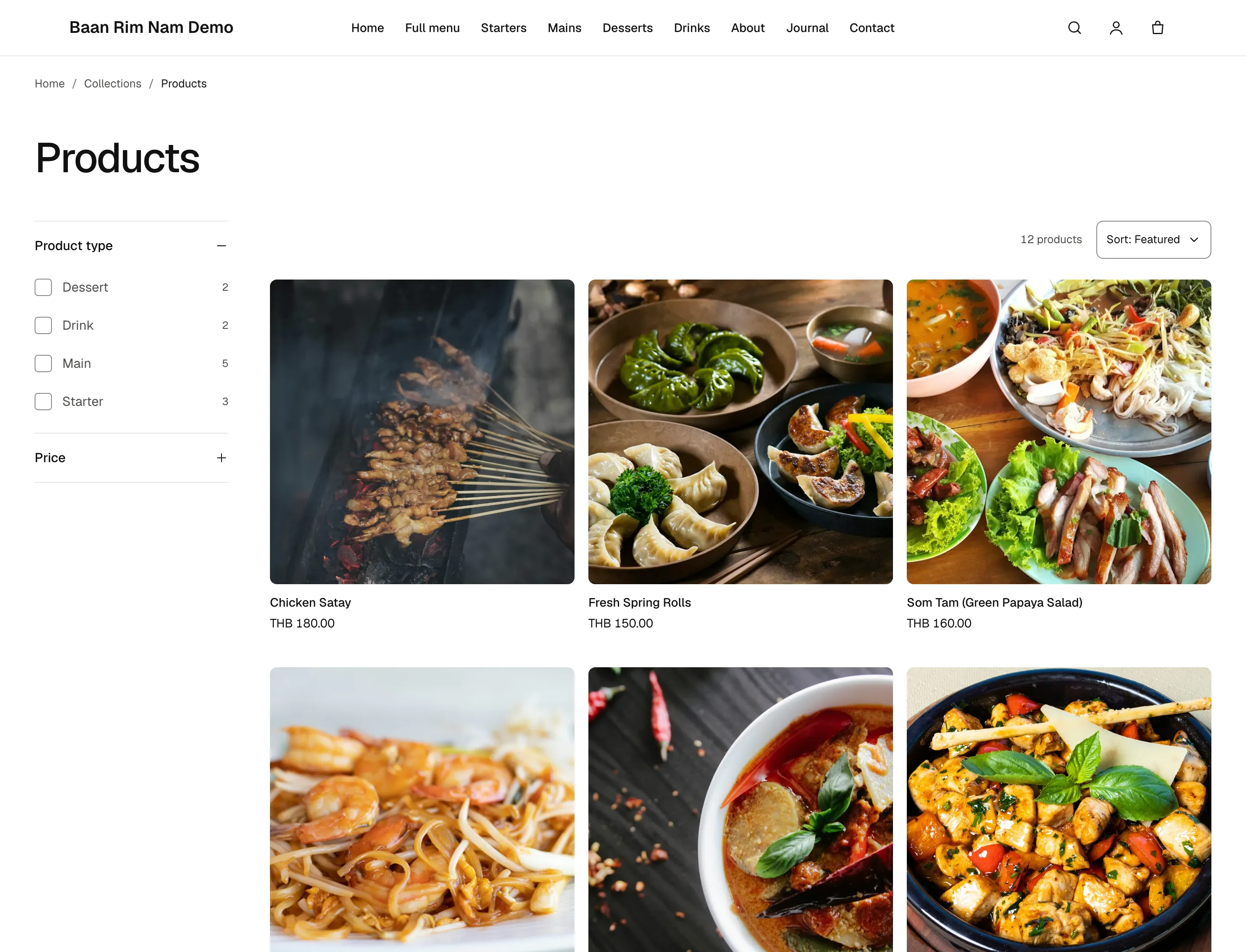
จากนั้นค่อยขอธีม และขอภาพหน้าจอของหน้าแรก เมนู หน้าอาหาร บล็อก และหน้าเพจ เพื่อให้ผู้ช่วยตรวจงานของตัวเอง
ชื่อร้าน โลโก้ และรหัสผ่านของร้านก็ทำได้ ขอในแชตเดียวกันได้เลย ผู้ช่วยจะเปลี่ยนชื่อร้าน ตั้งโลโก้ (รูปที่คุณให้ หรือรูปที่เครื่องมือสร้างภาพทำให้) และเมื่อคุณบอกว่าพร้อมเปิดร้าน ก็จะปิดรหัสผ่านของร้าน การ์ดนั้นบอกชัดว่าร้านจะเปิดเป็นสาธารณะ และจะไม่มีอะไรเปลี่ยนจนกว่าคุณจะอนุมัติ ร้านสำหรับพัฒนา (development store) ต้องมีรหัสผ่านเสมอ ผู้ช่วยจะบอกเหตุผล
ChatGPT
ใน ChatGPT ให้เปิด developer mode แล้วเพิ่ม https://mcp.tanqory.com เป็น connector ที่เข้าสู่ระบบด้วย OAuth ChatGPT จะเปิดหน้าเข้าสู่ระบบของ Tanqory หน้าเดียวกัน ให้เลือกร้านหนึ่งร้านแล้วเลือก Allow access OpenAI อธิบายหน้าจอ (ซึ่งเปลี่ยนชื่อปุ่มเป็นระยะ) ไว้ใน Developer mode
Claude Code
Claude Code คือเครื่องมือเขียนโค้ดของ Anthropic ที่ทำงานใน terminal ใช้ได้ทั้ง Tanqory connector และเขียนแอปหรือธีมในเครื่องของคุณ
เพิ่ม server จากโฟลเดอร์ที่ทำงาน
Shellclaude mcp add --transport http tanqory https://mcp.tanqory.comTextAdded HTTP MCP server tanqory with URL: https://mcp.tanqory.com to local configเข้าสู่ระบบ ในหน้าต่าง terminal รัน
Shellclaude mcp login tanqoryเบราว์เซอร์จะเปิดหน้า Connect Claude Code to Tanqory เลือกร้านแล้วเลือก Allow access
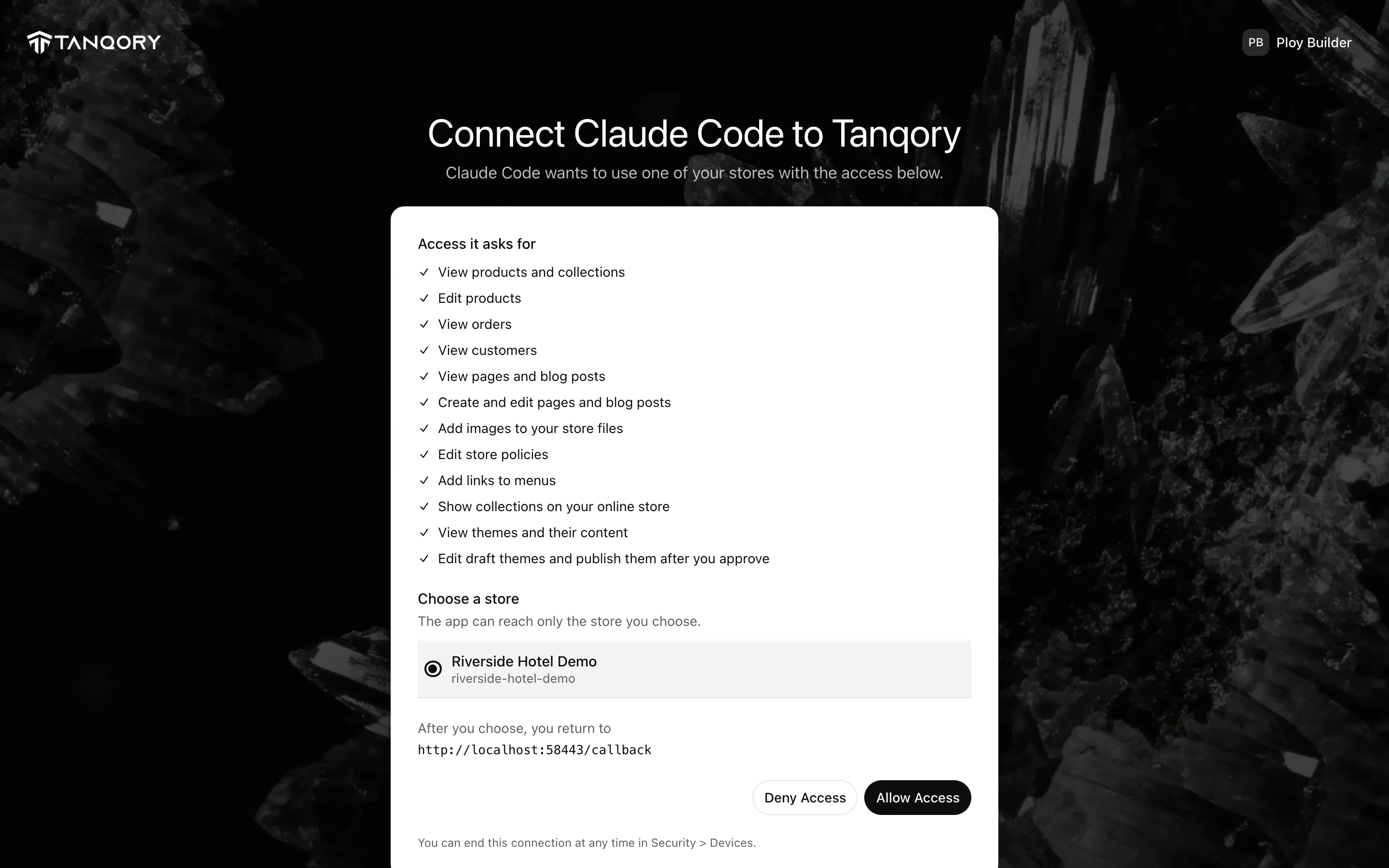
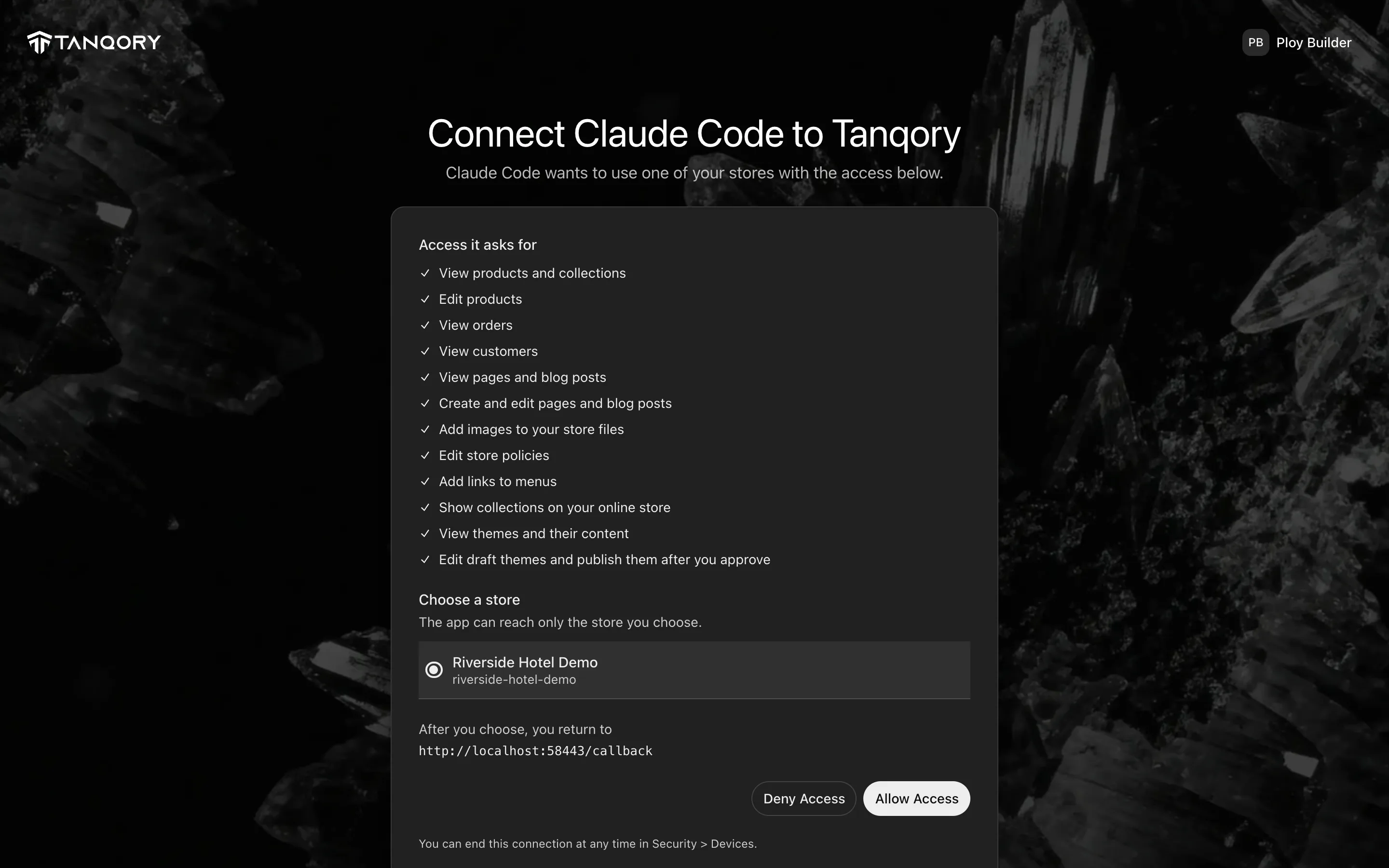
terminal จะตอบว่า
TextAuthenticated with "tanqory". Its tools are now available in Claude Code.ถ้าเบราว์เซอร์ติดต่อกลับมาที่เครื่องของคุณไม่ได้ (เช่น ทำงานผ่าน SSH) terminal จะขึ้น Or paste the redirect URL here ให้คัดลอกที่อยู่สุดท้ายในเบราว์เซอร์ ซึ่งขึ้นต้นด้วย
http://localhostมาวางตรวจการเชื่อมต่อด้วย
claude mcp listบรรทัดtanqoryจะลงท้ายด้วย Connected
ใน Claude Code พิมพ์ /mcp แล้วเลือก Authenticate ก็ได้เช่นกัน ลองสั่งว่า "Use the tanqory tools: list my store's themes."
Cursor
สร้าง .cursor/mcp.json ในโปรเจกต์ หรือ ~/.cursor/mcp.json ให้ใช้กับทุกโปรเจกต์
{
  "mcpServers": {
    "tanqory": { "url": "https://mcp.tanqory.com" }
  }
}
จากนั้น Cursor จะให้เข้าสู่ระบบ tanqory ให้อนุญาตร้านหนึ่งร้านในเบราว์เซอร์ คู่มือของ Cursor คือ Model Context Protocol
Grok
ในแพ็กเกจแบบเสียเงิน grok.com ให้เพิ่ม custom remote MCP connector ได้: เปิด grok.com/connectors เลือก New Connector แล้ว Custom และใส่ https://mcp.tanqory.com การเข้าสู่ระบบเป็นหน้า Tanqory หน้าเดียวกับข้างบน
Meta AI
Meta AI ไม่ให้เพิ่ม MCP connector ของตัวเอง วันนี้จึงเชื่อมต่อกับ Tanqory ไม่ได้ คุณยังวางเอกสารนี้ให้มันแล้วขอโค้ดได้ แต่มันอ่านร้านของคุณหรือตรวจงานกับ Tanqory ไม่ได้
command line tanqory-partner
command line นี้สร้าง ตรวจ และอัปโหลดธีมของ partner และเป็น MCP server ให้เครื่องมือ AI ได้ด้วย ต้องใช้ Node.js 20.11 ขึ้นไป
ติดตั้ง
Shellnpm install -g @tanqory/partner-cli@next tanqory-partner --helpเข้าสู่ระบบ
Shelltanqory-partner login --api https://api.tanqory.comTextTo sign in, open https://accounts.tanqory.com/account/oauth/device and enter the code XXXX-XXXX The code works for 10 minutes. Waiting for you to allow access...เปิดหน้านั้น ใส่รหัส แล้วเลือก Check code ตรวจว่ารหัสตรงกับใน terminal แล้วเลือก Allow access
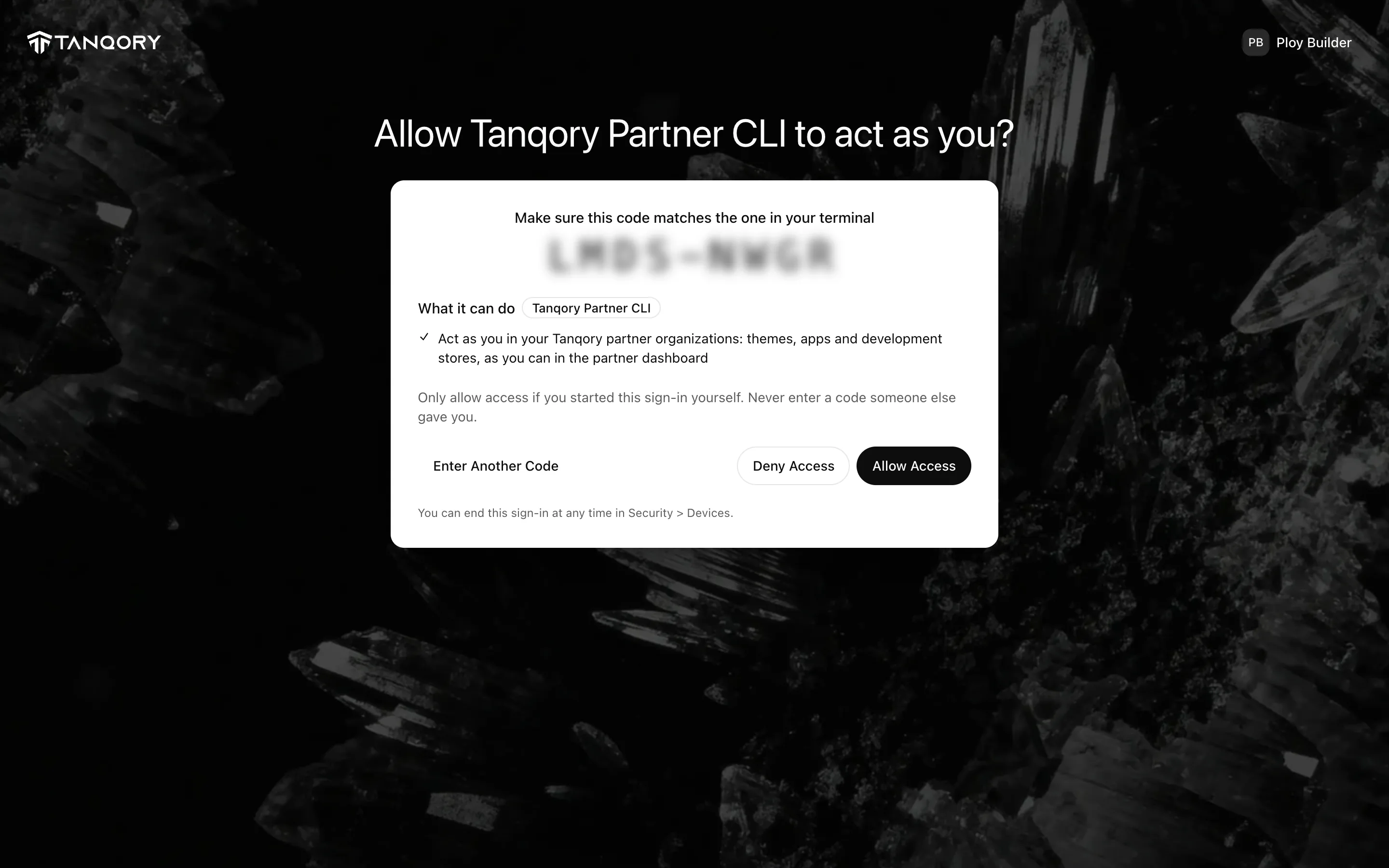
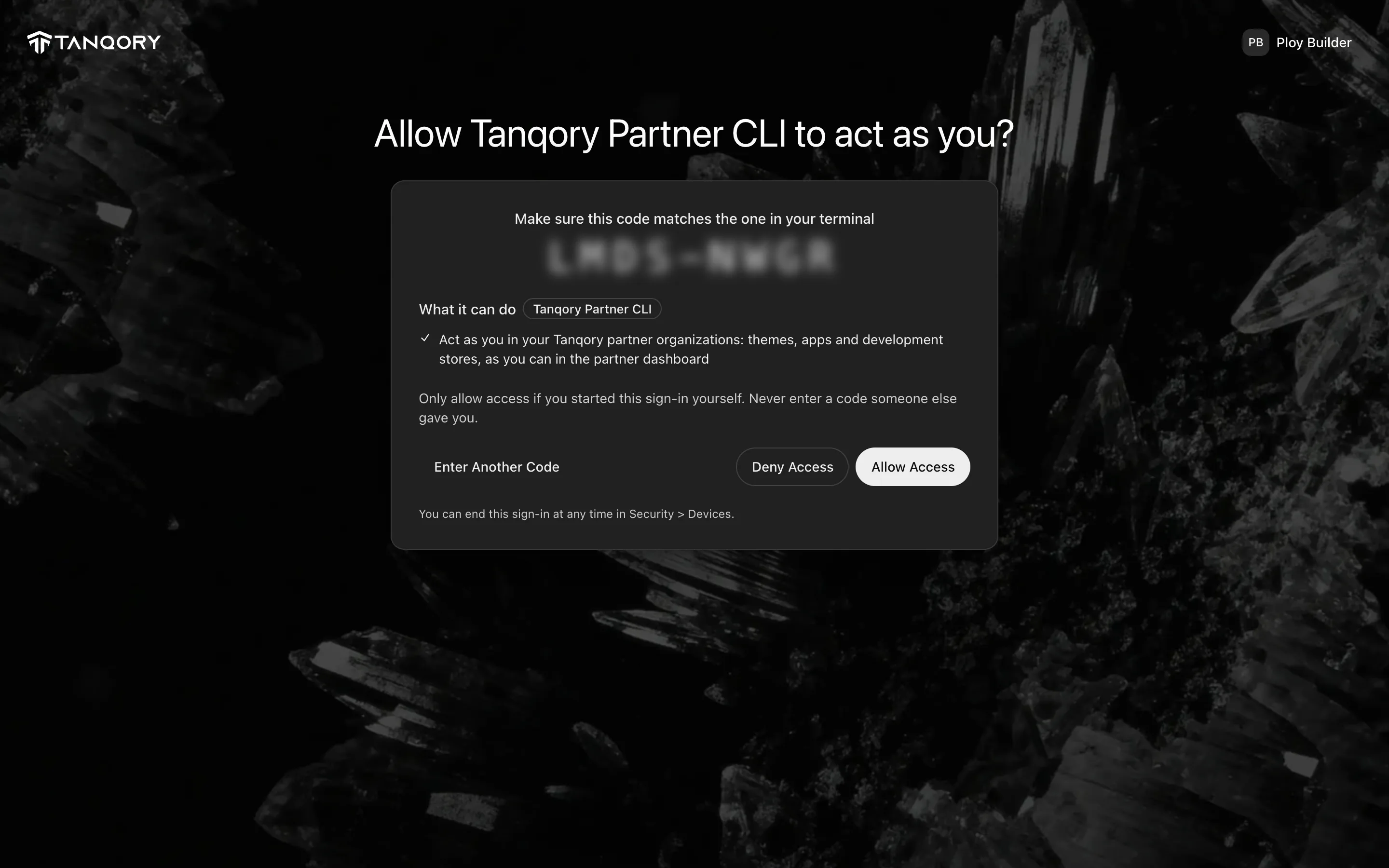 Text
Signed in to https://api.tanqory.com.เลือกองค์กร
Shelltanqory-partner orgs tanqory-partner orgs --use <organization id>
ถ้าต้องการให้ Claude Code รันคำสั่งเหล่านี้เป็น tool: claude mcp add tanqory-partner -- tanqory-partner mcp คำสั่งทั้งหมดอยู่ในหน้า Get started with themes ของเว็บ partner